














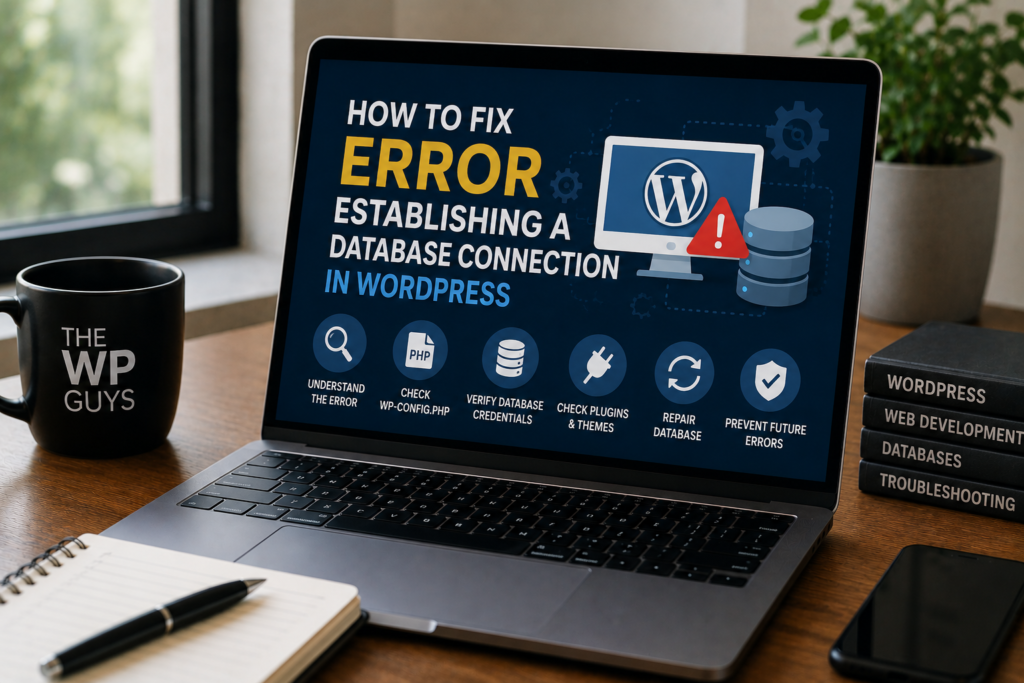
When you’re greeted with the “Error Establishing a Database Connection” message on your WordPress site, it means something has gone wrong and your site is no longer communicating properly with its database. This error shows when WordPress is unable to establish a database connection This means your website needs to talk to your database, but the information it shows doesn’t match.
But don’t worry. This is a frequent WordPress problem and it can typically be fixed fairly easily. In this guide, we’ll show you what’s causing this error and how to resolve it, step by step.
What Causes the Error Establishing a Database Connection?
Before addressing the issue, it’s critical to know why it occurs.
Common causes include:
- Incorrect database login credentials.
- Corrupted WordPress database.
- Server-related issues.
- Corrupted WordPress core files.
- Exceeded hosting resource limits.
Let’s walk through each solution.
1. Check Your WordPress Database Credentials
WordPress use the information in the wp-config.php file to connect to the database. If there is any of these are wrong, you will see this error message.
What to Check:
- Database Name.
- Database Username.
- Database Password.
- Database Host.
How to Fix this:
1.Open your website files with “FTP” or “File Manager”.
2.Open wp-config.php file.
3.Check for these lines:
					define('DB_NAME', 'your_database_name');
define('DB_USER', 'your_database_user');
define('DB_PASSWORD', 'your_database_password');
define('DB_HOST', 'localhost')
4.Compare with this values with your hosting control panel (cPanel or similar).
5.Update them if needed and save the file.
2. Repair a Corrupted WordPress Database
Most of the time the database becomes corrupted for plugin conflicts, failed updates, or server crashes issues.
How to repair the Database:
1.Add this line to your wp-config.php file:
define('WP_ALLOW_REPAIR', true);
2.Visit This File Location:
“yourwebsite.com/wp-admin/maint/repair.php”
3.Click repair database or repair and optimize database.
4.After repairing, remove the line from wp-config.php for security.
3. Check Your Web Hosting Server
If your credentials are correct and the database is fine. Then the issue may be with your hosting server.
Possible Hosting Issues:
- MySQL server is down.
- Server is overloaded.
- Account resources exceeded.
- Temporary hosting outage.
What You Can Do:
- Contact your hosting provider.
- Ask if the database server is running.
- Request a server health check.
4. Fix Corrupted WordPress Core Files
The wordpress core files sometimes get corrupted during updates or file transfers.
How to Fix:
1.Download a fresh copy of WordPress.
2.Then extract the files.
3.Upload only this folders and files:
					wp-admin
wp-includes
5. Check for Plugin or Theme Conflicts
4.Do not overwrite the wp-content folder or wp-config.php.
This will replace damaged core files without affecting your content.
A broken plugin or theme can also cause database connection errors.
How to Test:
- Rename the plugins folder to something like plugins-old.
- Try accessing your site.
- If it works, one of your plugins is the problem.
- Rename the folder back and activate plugins one by one.
For themes:
Switch to a default theme like Twenty Twenty-Four.
6. Restore Your Website from Backup
If none of these solutions works, try to restore from a recent backup. It may be the fastest solution.
Always keep:
- Daily backups.
- Off-site storage.
- Automatic backup systems.
Need expert help with this issue?
If you’re not comfortable in editing files or working with databases, then it is best to let professionals handle it. One wrong step can make the situation worse.
We Can Fix It for You!
Our WordPress experts can:
- Diagnose the issue.
- Fix database connection errors.
- Restore broken websites.
- Improve site security.
- Prevent future errors.
Contact us today and get your website back online quickly!
Quick Fix Checklist for WordPress Database Connection Error
– Verify database name, username, and password
– Repair corrupted WordPress database
– Check web hosting server status
– Disable faulty plugins or themes
– Replace corrupted WordPress core files
– Restore website from a recent backup
Final Thoughts
This message “Error establishing a database connection” issue can feel overwhelming, but in most cases, it’s easy to fix with the right steps. Whether it’s incorrect credentials, a corrupted database, or server issues, one of the solutions above will likely solve it.
General Questions
What causes the error establishing a database connection in WordPress?
It’s usually caused by incorrect database credentials, corrupted database files, hosting server issues, or faulty plugins/themes.
Can I fix the database connection error without technical knowledge?
Yes, basic fixes like checking wp-config.php or contacting your hosting provider can resolve it. If you need help please feel free to contact us.
Will this error delete my WordPress data?
No, but prolonged issues may risk data loss if not fixed properly.
When should I contact a WordPress expert?
If database repair and plugin checks fail, professional help is recommended.