











WordPress is a popular website content management system. The platform has become a target for many cybercriminals because of it’s high number of users, it gets attacked daily by hackers using malicious code. By making a mistake, you could risk losing all or part of your websites content or at the very least damage your reputations.
Fortunately, there are simple ways to keep your wordpress web pages secure by following some very basic guidelines below will help you take those steps.
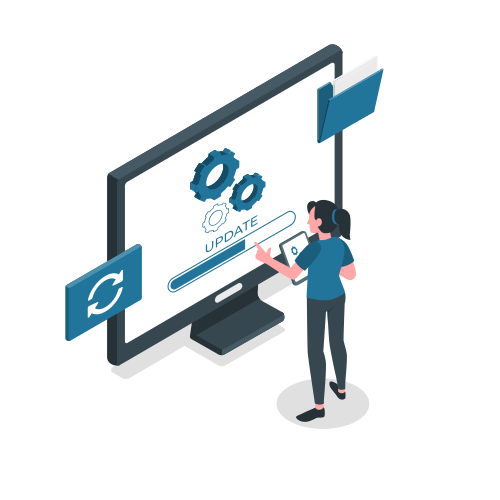
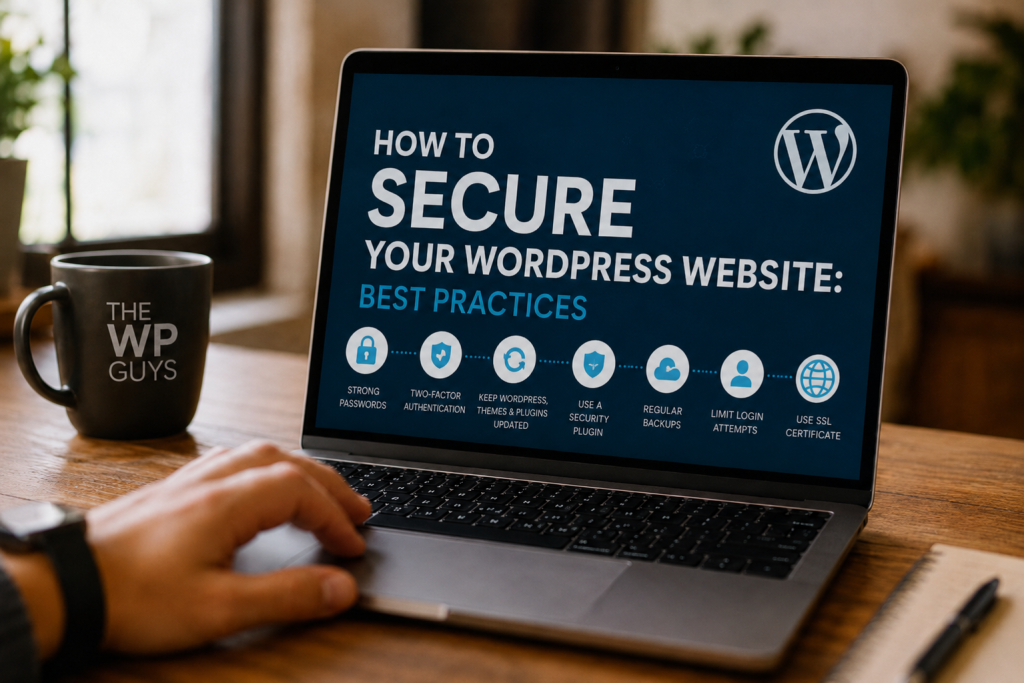
By keeping your wordpress web pages updated on a regular basis, you are doing yourself a huge favour when it comes down to being secure with having a proper working website. Developers release patches and fixes for security issues in the core software as well as any themes and plugins you are running on your blog. The biggest thing here is, having outdated software is just a recipe for disaster; having an outdated version of software is a serious security risk as you are leaving yourself open to cybercriminal attacks.
Another tip when updating anything related to your site is always remember to back up your site first.
Recommendations:
- Do use automatic upgrades for your wordpress software and plugins (for minor upgrades)
- Remove any unused themes/plugins
- Only install trusted plugins.
A very common weakness of all websites is the use of weak usernames and weak passwords as a means of granting access. A good way to mitigate these weaknesses is to select a unique user name (not simply “admin”) and utilize a strong password that consists of letters, numbers, and appropriate special characters.
By using a strong password, you are making it difficult for attackers to conduct brute force password guessing attacks by entering thousands of different combinations to gain access to a account.
Best Practices
- Use a unique password for each account
- Change passwords regularly
- Use two-factor authentication (2FA)
A effective security plugin provides additional layers of protection for your wordpress website. These types of plugins can detect and notify you of potentially harmful activity, prohibit malicious traffic from accessing your website, and scan for malware.
Security features commonly provided by these types of plugins include:
- Protection from an external firewall
- Scan for malware
- Limiting log in attempts (to a predetermined minimum)
- Real time monitoring
Using a security plugin provides an opportunity to stop a potential attack before it can develop into a major incident.
One of the most significant factors affecting your website’s security is your web host. Cheap or subpar quality web hosts will usually provide little to no security features, putting your website at risk.
Select a web host that includes the following:
- SSL Certificates
- Daily Website Backups
- Malware Protection
- Server-Side Security
- Responsive Client Support
Another great option is to use managed wordpress hosting because it provides improved security and performance.
The use of SSL certificates on websites provide encryption services to ensure that any sensitive data passed between the site and visitors cannot be intercepted during transmission thus preventing compromise from occurring.
Having an SSL certificate for your website will change the protocol used by the site from HTTP to HTTPS. This will also give the site a “secure” appearance to both users and search engines (i.e., it will look more credible).
Benefits of SSL certificates:
- Enhanced security for your website
- Improved search engine ranking
- Greater consumer confidence
Attempting numerous logins is another method for a hacker to use automated tools to potentially crack your password. Limiting the number of logins available will reduce the number of times a hacker can access an administration panel on your web application.
You can configure your site to block a user from logging in after a predetermined number of unsuccessful attempts.
This simple step significantly reduces the possibility that anyone will gain unauthorized access.
Backing up your data is an important step in protecting the integrity of your website’s operation and keeping it secure from any potential attacks. When your website is compromised or goes offline for whatever reason, having a backup helps ensure that you can recover quickly.
You should maintain backups on a regular basis and save them in secure locations, such as:
- Cloud storage providers
- External hard drives
- Online backup service providers
Using automated backup plugins can greatly simplify this process.
Any plugin or theme you do not use can present a security threat; especially if it is an out-of-date plugin/theme. Even plugins & themes that are currently inactive can be a target of exploitation by an attacker.
Eliminate any plugins or themes you are no longer utilizing, making sure to retain only those that are vital for your site.
The default wordpress login page can typically be found at common web addresses: /wp-admin and/ or /wp-login.php. Attackers know this and are therefore constantly trying to access your login page through those urls.
By changing your login page address, you make it harder for attackers to locate where your wordpress site is being managed from.
Website security should be continuously monitored as it cannot be done just once. By continuously verifying your website, you can identify suspicious activities before they become a problem.
To regularly verify your website, watch for:
- Unsuccessful attempts to log in
- File changes that were unexpected
- Malware alerts
- Performance degradation
The faster you identify a problem, the easier it is to resolve.
Final Impressions
Securing your wordpress website is very essential in protecting both your business and your customers and your reputation in online. Implementing the above mentioned steps will greatly reduce of the risk of your site being hacked and help to ensure that your website continues to operate securely and safely.
There are small things you can do, like keeping wordpress current, using as many different kinds of passwords as possible and using security plugins that can all work together to have a tremendous impact on the security of your site. Website security should always be treated seriously, regardless of whether or not you own a business, but especially if your business depends on your online presence.
If you require assistance professionally with the security of your wordpress website, we would like you to consider using our service to strengthen the security, performance and reliability of your website.
Need an expert help please Book a free call →
General Questions
Why is WordPress security important?
WordPress security is important because it protects your website from hackers, malware, spam, and data theft. A secure website helps keep your business information and customer data safe.
How often should I update my WordPress website?
You should update your WordPress core, themes, and plugins regularly whenever new updates are available. Updates often include important security fixes and performance improvements.
What is the best security plugin for WordPress?
There are several good security plugins available for WordPress, including Wordfence, Sucuri, and iThemes Security. The best option depends on your website needs and security requirements.
Can a WordPress website be hacked?
Yes, any website can be hacked if proper security measures are not in place. However, following WordPress security best practices can greatly reduce the risk of attacks.
What is an SSL certificate and why do I need it?
An SSL certificate encrypts data between your website and visitors. It improves website security, builds trust with users, and helps your website rank better in search engines.
How can I make my WordPress login page more secure?
You can secure your login page by using strong passwords, enabling two-factor authentication, limiting login attempts, and changing the default login URL.
Should I backup my WordPress website regularly?
Yes, regular backups are very important. Backups allow you to quickly restore your website if it gets hacked, crashes, or experiences technical problems.
How do I know if my WordPress website has malware?
Common signs of malware include slow website performance, unexpected redirects, spam content, browser warnings, or unusual login activity. Security plugins can help scan and detect malware.
Can I secure my WordPress website without technical knowledge?
Yes, many security improvements can be done easily using plugins and basic settings. However, hiring a professional WordPress expert can provide stronger protection and peace of mind.