


















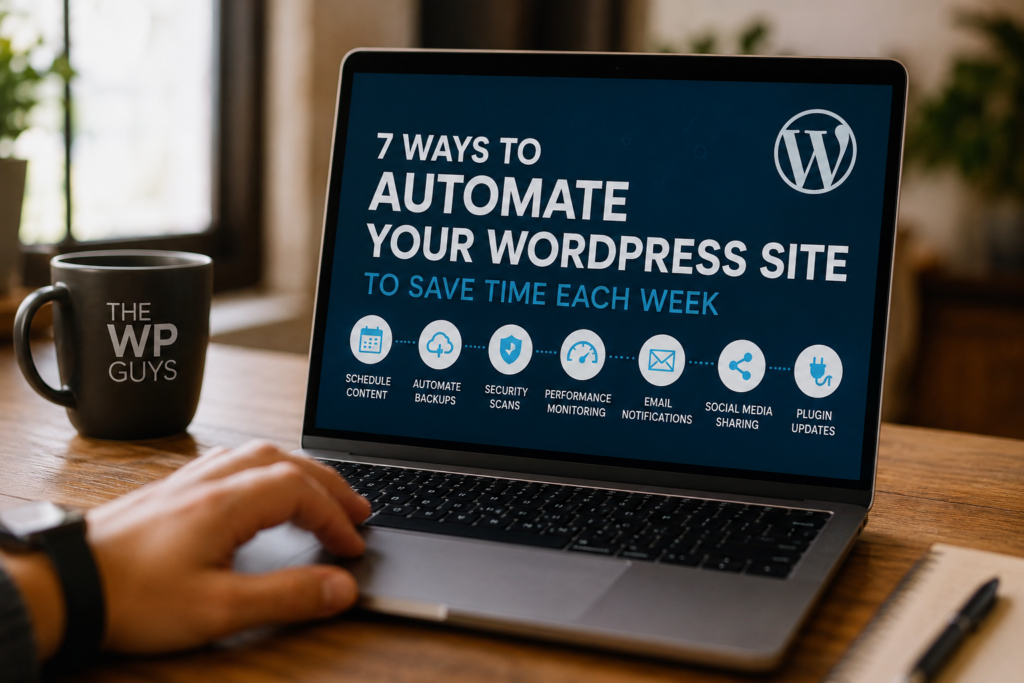
WordPress site management can be difficult, because of the number of Plug-ins / updates, adding and removing content, backup/restore files, set up user accounts, and other tasks. It is overwhelming at times but the good news is you can automate many tasks involved in managing your WordPress installation.
Automation is your ticket to scaling your website, saving time and freeing you from tedious tasks such as backing up your site. Automating workflows on your WordPress site will help any user – including business owners, bloggers, and agencies – improve productivity exponentially.
In this article we will cover 7 practical ways that you can automate your WordPress site to save time and make life easier.
What Is A Domain Name Registrar?
A domain name registrar enables you to buy your domain for your website from them (for example: the domain yourbusiness.com).
You shouldn’t assume that all registrars are equal.
You can either get price/price differences, security vs. support: some registrars offer free privacy protection, or you can use them for hosting your email, etc.
A frequent backup of your site is a good practice. Autocomplete it with the right plugins to make sure your site is regularly saved without ever having to go back to the hosting provider. Automate the backup schedule using tools such as UpdraftPlus or BlogVault they allow for daily or weekly updates to be sent to a designated location, including cloud based services like Google Drive or Dropbox.
What Do I Do If My Site Has Been Compromised or Crashed?
In case of severe rebooting of your site, auto-saving will remove most of the worry involved in getting back up and running within a short period of time.
Consistency in content is vital for success however, you don’t have to manually publish all your content at once.
WordPress has an integrated scheduling tool that enables you to create posts in groups and automatically distribute them on predetermined publishing dates/times.
Pro tip:
Create multiple pieces of content in bulk and schedule them all at once.
Result:
Consistent posting habits as you continue your busy lifestyle.
The process of publishing a blog article is not complete until it is promoted, which is equally important.
You can use services such as:
- Jetpack Social,
- Buffer; and
- Zapier – to automatically distribute your latest blog articles to your social networks such as Facebook, Twitter and LinkedIn.
Benefit 1: increased traffic to your site, with no effort.
One of the major security risks for WordPress Sites is when their Plugin has outdated versions.
Make sure that the following items are set to automatically update:
- Plugins
- Themes
- WordPress Core
You can either do this from within wordpress or use a management tool such as ManageWP.
Key Point: If your website is a critical site, then you should use automation in conjunction with monitoring to help avoid any compatibility issues.
If you’re using contact forms, you can automate what happens after someone submits a form.
With plugins such as WPForms and Gravity Forms, you can:
- Send instant Email Responses
- Add Leads to your CRM
- Trigger Follow-up Sequences
For example: When someone fills out a form, they will automatically receive a confirmation email, will be added to your email list and will then receive a welcome sequence.
With tools like zapier and make (formerly called Integromat), you can link your wordpress account to many different third party software services. Each of these tools helps your site to automate specific processes happening.
For example:
- Automatic email newsletter when a new article is published.
- Add a new user to Google Sheets when they register.
- Notify you via Slack of a new WooCommerce order.
The true power of these tools is in their potential to connect all aspects of your business workflow, not just the output of your website.
The ideal approach to security is to be proactive, rather than reactive. This is why many organizations are using security monitoring plugins like Wordfence and Sucuri.
Both of these tools can:
- Automatically scan your website
- Block malicious traffic
- Alert you in real-time when they find anything suspicious.
With security monitoring automations you are able to identify security problems before they escalate into large issues.
Final Thoughts
While automation does not replace control, it provides the opportunity to eliminate nuisance or repeating tasks, thus allowing you to concentrate your attention on growing your business.
Automating your WordPress site allows you to:
- Eliminate hours of wasted time each week
- Minimise your exposure to human error
- Increase the level of uniformity in the appearance and delivery of your product/service
- Speed up the growth of your organisation
Are You Looking for Support for Automating Your WordPress Site?
Setting up a automation appropriately requires an experienced professional every step from selecting a plugin through creating a workflow should be completed properly and professionally.
If you want an automated and fully optimised wordpress installation built specifically for your business, we can help.
Get in touch today to begin creating a more streamlined process for your wordpress site.
Need an expert help please Book a free call →
General Questions
What does it mean to automate a WordPress website?
In simple terms, it means setting things up so your website handles repetitive tasks on its own. Instead of manually updating plugins, posting content, or sending emails, you let tools and workflows do it automatically in the background.
Is WordPress automation safe for my website?
Yes, as long as it’s set up properly. Most automation tools are built with security in mind. That said, it’s always smart to combine automation with regular monitoring especially for updates and security-related tasks.
Will automation slow down my site?
Not really. In most cases, it actually helps keep your site running smoothly because tasks are handled more efficiently. The key is using the right plugins and not overloading your site with unnecessary tools.
Do I need technical skills to automate WordPress?
Not necessarily. Some basic automation like scheduling posts or enabling auto updates is very easy to set up. But for more advanced workflows (like connecting apps or automating lead funnels), having expert help can save time and avoid mistakes.
What are the biggest benefits of automating my website?
The biggest one is time. You spend less time on repetitive work and more time on growing your business. It also reduces human error and helps keep everything consistent, especially if you’re managing a lot of content or users.
Can automation help me get more leads or sales?
Yes, definitely. For example, you can automatically respond to form submissions, send follow up emails, or add leads to your CRM. This means faster responses and a better experience for your visitors, which can improve conversions.
What tools are commonly used for WordPress automation?
Some popular ones include:
- UpdraftPlus (backups)
- WPForms / Gravity Forms (forms)
- Zapier or Make (workflow automation)
- Wordfence / Sucuri (security)
The right tools depend on what you’re trying to automate.
Should I automate everything on my WordPress site?
Not everything. Automation works best for repetitive tasks. Things like content strategy, design decisions, or important updates still need a human touch. It’s about balance.
Can you help set up automation for my website?
Yes if you’re not sure where to start or don’t want to deal with the setup, we can handle everything for you. From choosing the right tools to building custom workflows, we make sure everything runs smoothly.